Top 5 Construction Management Scheduling Software for 2025 - Compared with Swift Checkin
Introduction
Construction scheduling has never been more important. With project deadlines getting tighter and skilled labour in short supply, even a small delay can cost thousands. In fact, studies show that over 70% of construction projects run behind schedule. That’s why more contractors are turning to construction scheduling software-tools designed to streamline planning, track progress, and keep everyone on the same page. In 2025, using the right scheduling solution isn’t just helpful-it’s the key to delivering projects on time and staying ahead in a fast-moving industry.
Top construction scheduling tools compared with Swift Checkin
In-Depth Analysis of Construction Scheduling Software
1. Swift Checkin
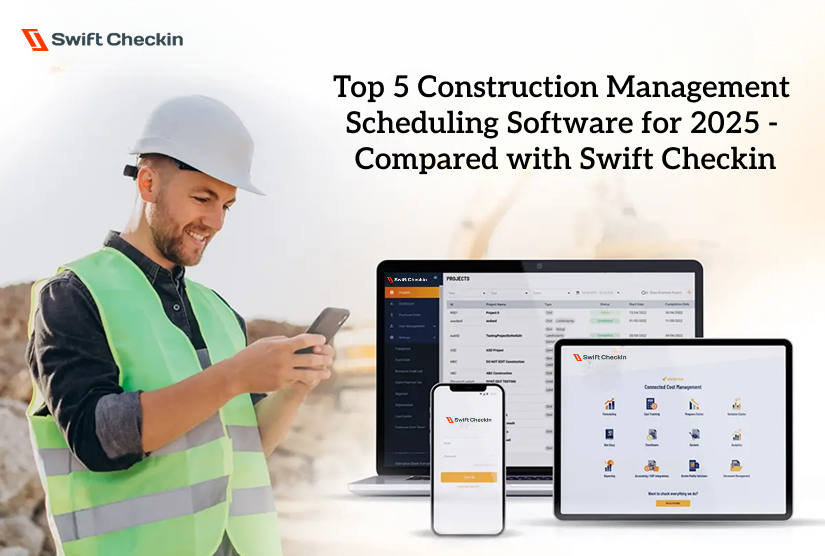
Swift Checkin is a mobile-first, contractor-focused platform that excels in attendance accuracy, budget control, scheduling and communication. Its standout feature is self-adjusting scheduling with automatic notifications to subcontractors, ensuring rapid response to schedule changes. Combined with QR and geolocation check-ins and live budget tracking, it fills the “last mile” gap in construction scheduling.
Pros:
- QR/geolocation check-ins eliminate timesheet errors
- Auto-adjusting schedules (Gantt chart) with instant subcontractor alerts
- Real-time labour cost and budget tracking
- Seamless integration with Autodesk construction cloud
- Rapid onboarding
- Most competitive and budget friendly price for small and medium businesses
Cons:
- Fewer advanced project management features (like BIM)
- Newer platform with a smaller user base
Who is it for?
Contractors and site managers focused on workforce management and real-time coordination across multiple subcontractors.
2. HammerTech
HammerTech is a robust platform for digitizing safety, compliance, and site operations. It excels at incident management, digital permits, SWMS, and worker onboarding, and integrates well with major project management tools.
Pros:
- Comprehensive safety/compliance automation
- Digital permit-to-work, incident, and audit management
- Strong custom dashboards and analytics
- Integrates with Procore, Autodesk, more
Cons:
- Can be overwhelming for small teams/projects.
- Scheduling is more focused on safety and permits than full project timelines
Who is it for?
Large contractors and principal contractors with strict regulatory needs and a strong focus on safety and compliance.
3. Primavera P6 (Oracle)
Primavera P6 is an industry standard for large-scale scheduling, resource management, and risk analysis. It’s designed for complex, multi-phase projects.
Pros:
- Powerful resource/cost tracking and risk management
- Handles complex, multi-year projects
- Industry standard for infrastructure
Cons:
- Expensive licensing and implementation
- Steep learning curve, not for small firms
Who is it for?
Large enterprises, infrastructure contractors, and government projects needing detailed schedule and resource control.
4. ProjectManager
ProjectManager is a flexible, cloud-based platform with visual Gantt charts and resource planning. Its mobile app and collaboration features make it accessible for distributed teams.
Pros:
- Intuitive Gantt charts, easy drag-and-drop
- Resource tracking, task dependencies
- Cloud/mobile access
Cons:
- Limited customization, no built-in invoicing
- No free plan
Who is it for?
Mid-sized construction companies needing flexible, visual scheduling and cloud/mobile collaboration.
5. Buildertrend
Buildertrend is a cloud-based solution popular with residential builders and remodelers. It combines project scheduling with strong client communication and unlimited user access.
Pros:
- Unlimited users, strong client portals
- All-in-one scheduling and project management
- Long project timeline management
Cons:
- Higher cost for small firms
- Lacks real-time labour cost tracking and compliance automation
Who is it for?
Residential builders and remodelers managing multiple projects and client relationships.
6. SignOnSite
SignOnSite specialises in mobile-first attendance, digital inductions, and safety forms. It’s easy for workers to use and streamlines compliance and reporting for site managers.
Pros:
- Fast mobile sign-in (geofence, QR, auto-detect)
- Digital safety forms and inductions
- Powerful reporting (PowerBI integration)
- Project archives for easy document retrieval
Cons:
- Scheduling is limited to inductions and attendance, not full project timelines
- Less focus on resource management and budgeting
Who is it for?
Builders and contractors wanting to digitise site attendance, inductions, and safety paperwork with minimal friction.
Fill this Checklist to find the right Construction Scheduling Software
- Does it address your core pain points (scheduling, labour tracking, etc.,)?
- Does it add value beyond your current manual or fragmented processes?
- Is it scalable to grow with your business and project complexity?
- Does the price align with the efficiency and cost savings it offers?
- Is the user interface intuitive enough for your team to adopt quickly?
- Does it integrate smoothly with your existing software stack (accounting, payroll, BIM)?
- Are mobile and cloud access reliable for your on-site teams?
- Is customer support responsive and helpful?
- Does it automate routine tasks like attendance, notifications, and license validation?
- Does it provide real-time notifications and updates to keep all stakeholders aligned?
- Are reporting and analytics robust enough for your management needs?
- Does it align with regulatory compliance and audit readiness?
- Is data security and ownership clear and reliable?
- Can you test it with a demo or trial before committing?
- Is the software scalable vertically and horizontally as you and your business grow?
Pro Tip: make sure your tool ticks at the least 10 out 15 before making the final decision and paying for it.
Final Verdict
- HammerTech: Best for large contractors prioritising deep safety, compliance, and site operations management.
- Primavera P6: Unmatched for enterprise-level resource and risk management on massive projects.
- ProjectManager: Flexible, visual scheduling for mid-sized teams needing cloud/mobile access.
- Buildertrend: Excels in residential projects with client communication focus.
- SignOnSite: Ideal for digitising site attendance, inductions, and safety forms.
- Swift Checkin: Stands out for mobile-first, geo-verified attendance, auto-adjusting scheduling, and budget control - bridging the gap between workforce management and project scheduling making it a complete contractor management software.
Conclusion
As construction projects become more complex, it is time to ditch outdated scheduling methods that lead to costly delays and lost profits. Pick the right construction scheduling software to speed up project completion by up to 25%. If your current tool isn’t cutting it, now’s the time to switch to a solution that fits your needs. The right software helps you stay on schedule, reduce delays, and boost profitability-giving you a clear edge in 2025’s competitive market.



