Simplify work hour tracking with mobile timesheets
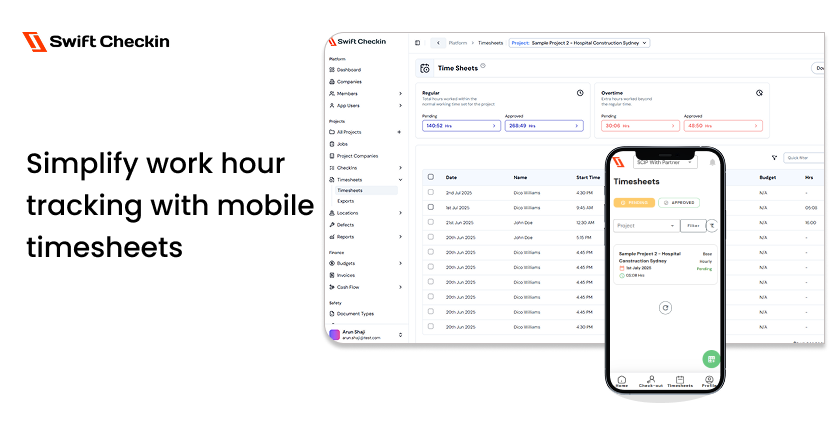
On a construction site, things shift fast. Labours switch subs, teams switch spots, even jumping to a different site in a single day. Keeping up with who’s working where and for how long is a real challenge. Paper timesheets? They get lost, damaged, or simply forgotten. The result? Hours that don’t add up, mistakes in payroll, and a lot of wasted time.
Mobile timesheet solutions are changing that. With a phone in almost every worker’s pocket, logging hours has never been easier. Workers check in with a tap. Supervisors see who’s on site in real time. It’s simple, but it makes a big difference.
Why Go Mobile?
Manual tracking has always been a pain. You’re chasing down signatures, trying to read messy handwriting, or guessing who left early. It’s no surprise that nearly 60% of construction companies say manual time tracking causes payroll errors and delays.
Mobile apps cut out the confusion. Workers clock in and out from their phones. Some apps like Swift Checkin use GPS, so you know check-ins are happening on site. No more “buddy punching” or guessing if someone was really there.
Moving check-ins and timesheet to mobile comes with zero implementation cost as every worker has a mobile in their pocket already. Yet the process has a high ROI, with most contractors reporting break even on the software expense in few months.
Real-Time Updates, Real Savings
With mobile timesheets, updates happen instantly. If a crew moves to a new site, supervisors see it right away. If someone forgets to clock out, it’s easy to spot and fix. Project managers get a clear view of labor costs as they happen, not days later.
Companies using mobile timesheets often save up to 20 hours a week on admin work. Payroll mistakes drop by nearly a third. That’s less hassle for everyone, both in the field and in the office.
Built for the Job
Good mobile timesheet apps are made for the realities of construction. They’re easy to use, even for those who aren’t tech-savvy. Many work offline, syncing up when there’s a signal again. Geo-verification means only those actually on-site can check in. It keeps things fair and accurate.
Most mobile timesheeting tools are not limited to one function. Take Swift Checkin, for example. You get smart scheduling, real-time budget tracking, and Autodesk integration—all with unlimited users and projects. So you don't need to jump software at work.
Implementing a mobile-first check-in and timesheeting system
Switching to mobile timesheets doesn’t have to be hard.
- Pick the Right Tool: Choose software that works with your current systems, has good support, and has the best ROI.
- Explain the Benefits: Before you say 'how', show them 'why' so that they adopt it willingly. Let your crew know it saves time, cuts errors, and helps everyone get paid faster. For the business, it means better cost control.
- Now say 'How': Not every tool requires a training session. Swift Checkin makes usability a breeze even for your granny. But don't refrain from training if the software of your choice requires it.
- Share success and provide support: Celebrate fewer payroll mistakes and faster approvals to keep everyone motivated. Rely on the software provider for 24/7 support, which most tools come with.
The Takeaway
Construction is all about movement and change. Mobile timesheet solutions help teams stay connected, keep data accurate, and avoid payroll headaches. When every hour minute matters, having a simple, reliable way to track time can make all the difference.



